

Mapping
What is Digital Wayfinding?
Mobiddiction ·
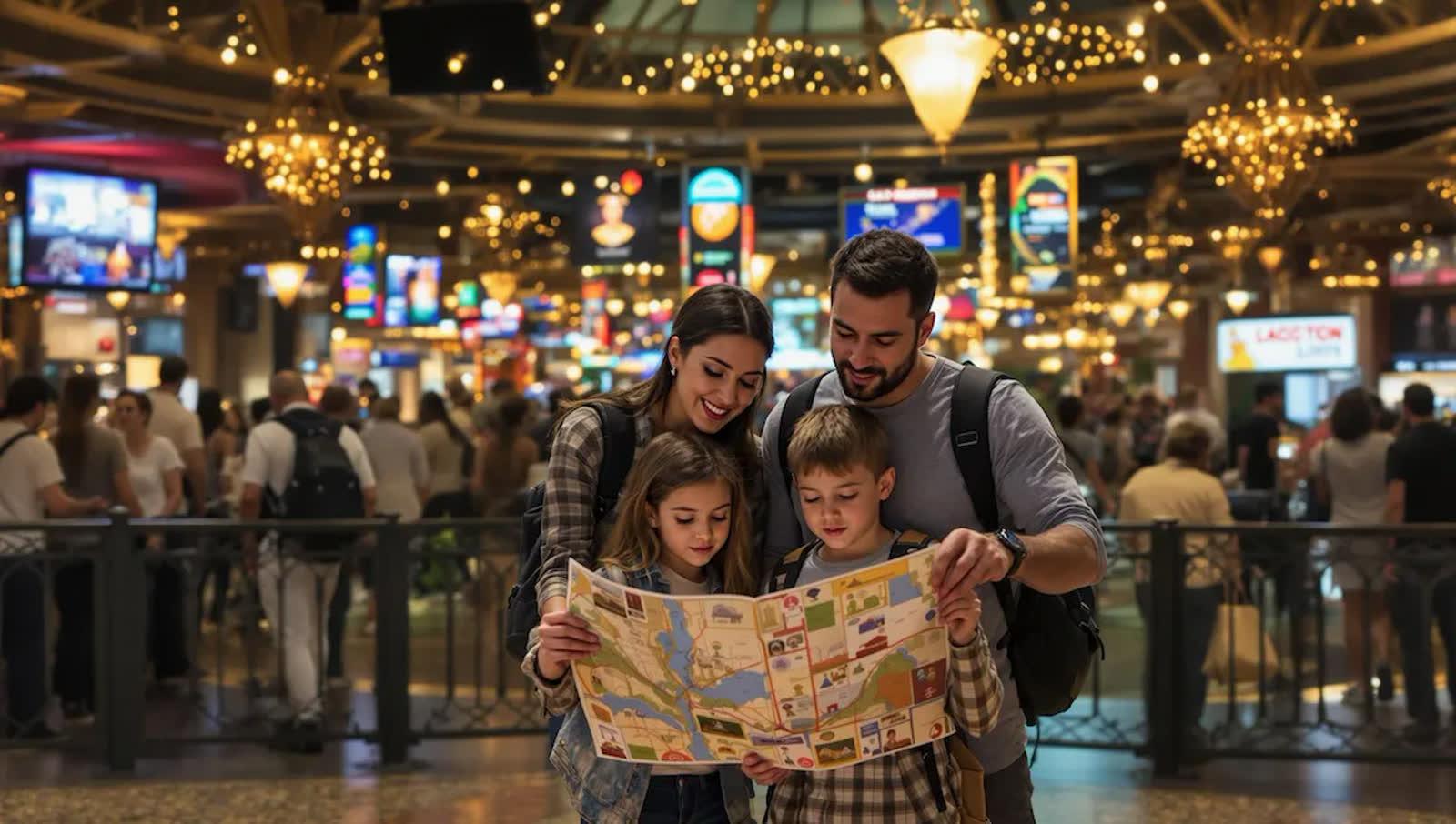
“wayfinding”: the process or activity of ascertaining one’s position, planning and following a route.
Wayfinding in the digital and mapping context means navigating from one place to another using cues, signage or maps to determine the best route. Wayfinding technology is the digital information that assists with guiding people through a physical environment and navigating indoor spaces. In the digital era it increasingly happens on screens, through web and mobile applications that provide walking directions.
It is commonly used in event spaces, transport hubs, university and hospital campuses, and large public precincts, helping people orient themselves, locate points of interest and reach their destinations with confidence. Good digital wayfinding is more than displaying a route: it means designing intuitive, real-time guidance that aligns with how people move and decide on foot.
If GPS is so good, why do we still get lost?
Over three-quarters of smartphone owners regularly use navigation apps (our 2019 figure), yet people still get lost in malls, galleries, airports, campuses and hospitals. The first reason is that GPS doesn’t work indoors. The second is that indoor environments are inherently complex. Google Maps documents fixed outdoor structures such as streets, roads and buildings, combining satellite imagery with aerial photography, street maps and 360-degree street views. Psychologist Christoph Hölscher describes indoor navigation as a complex set of cognitive processes: locating yourself and objects, making inferences and connections, and drawing on memory and expertise to find a road from A to B.
Private venues are the blind spot
Google Maps and Apple Maps do not cover areas which are private, such as a recreational resort or hotel. They most likely end up at the entrance of the location. Clubs, golf courses, indoor venues, hospitals and malls do not have navigation built in the way public streets do, and if your venue is already on Google the imagery may be outdated, lack high-resolution detail, and miss amenities or buildings that have changed over time.
- Event layouts or internal road structures can change frequently
- Entrances, building wings and facilities are often difficult to find on generic maps
- Public maps may lead guests to the wrong points, closed gates, or even unsafe pathways
- Opportunities for branding, sponsorship and guest engagement are missed
The result: frustrated guests, lost revenue opportunities, and staff time spent giving directions instead of delivering experiences.
The three types of custom map
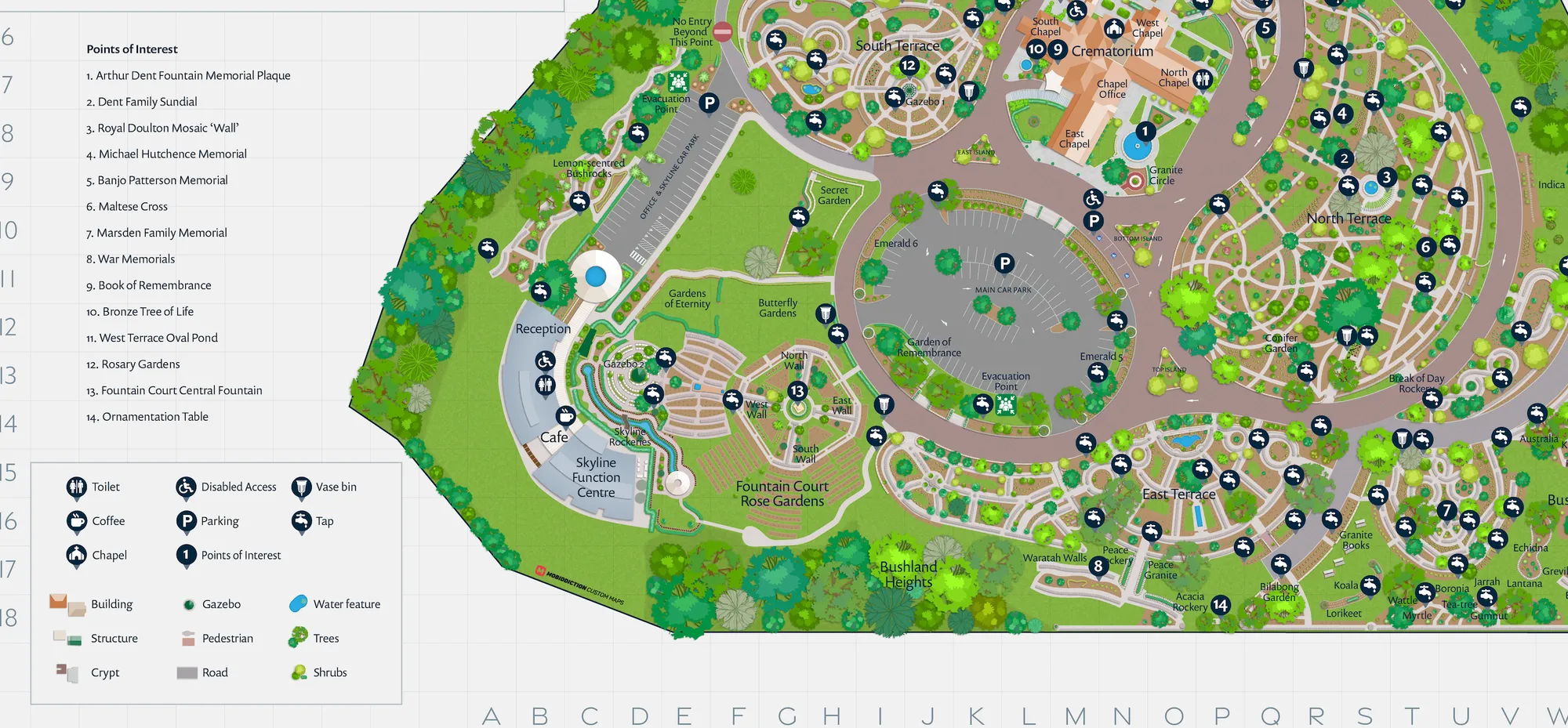
Custom maps fall into three broad types, each with similar features but a different focus.
Type 1: Google Map base with annotated POIs, shapes and lines
Use this where you want markers, shapes (rectangles, circles, polygons) and lines (routes or boundaries) on top of a Google Street or Satellite view. It suits venues that need to be seen in their wider geography but with more detail than Google provides: building outlines, entrances, exit points, loading docks and carpark entrances.
Type 2: Google Map with a custom image overlaid
Use this when site-specific imagery matters more than Google’s: temporary sites such as festivals and events, sites where Google’s imagery is out of date, or where branding calls for a different style. It requires a high-resolution image produced to specific requirements, and gives way to the Google base beyond its edges.
Type 3: An image with no underlying geographic referencing
Use this where GPS locations are not needed or not available. Indoor maps often use this type, because phone GPS frequently does not work inside buildings. It also suits stylised maps, where the order and relative position of features matter more than exact angles and distances, with train maps being the extreme example.
How digital walking directions are built
Effective wayfinding relies on accurate maps, device geolocation and intelligent route logic. It must account for pedestrian pathways, laneways, crossings, building entries and areas inaccessible to vehicles, factors often overlooked in driving directions. It may also need special-purpose routing: accessible or wheelchair routing that avoids stairs or kerbs, or bicycle routing that understands shared and pedestrian-only pathways. Event-specific wayfinding is needed when an event runs in a normally public space with temporary fencing and entrance gates, which makes Google Maps walking routes unusable for the duration.
Mobile apps advanced this: a user’s location can be read as a GPS coordinate in real time and turned into live navigation instructions. We build custom maps with wayfinding in Mapiddiction, our mapping product. Mapiddiction is a custom module on M4 (formerly Mobiconnect), our multi-tenant platform. Maps carry points of interest, shapes and filters, with share links, QR codes and accessibility-aware routing.
What a venue gets from custom wayfinding
- Tailored navigation: turn-by-turn walking directions across multi-level buildings, event sites or outdoor trails
- Real-time updates: instantly update routes and points of interest for construction, events or temporary closures
- Venue branding: custom-styled maps reinforce brand identity and highlight sponsors or theming
- Rich visitor engagement: add photos, descriptions, audio or QR codes at any location
- Advanced analytics: understand guest flow and peak congestion zones, and optimise operations
Wayfinding can also carry safety exits and emergency evacuation plans routed from the user’s location, and connect to your app and website.
Augmented reality wayfinding and placemaking
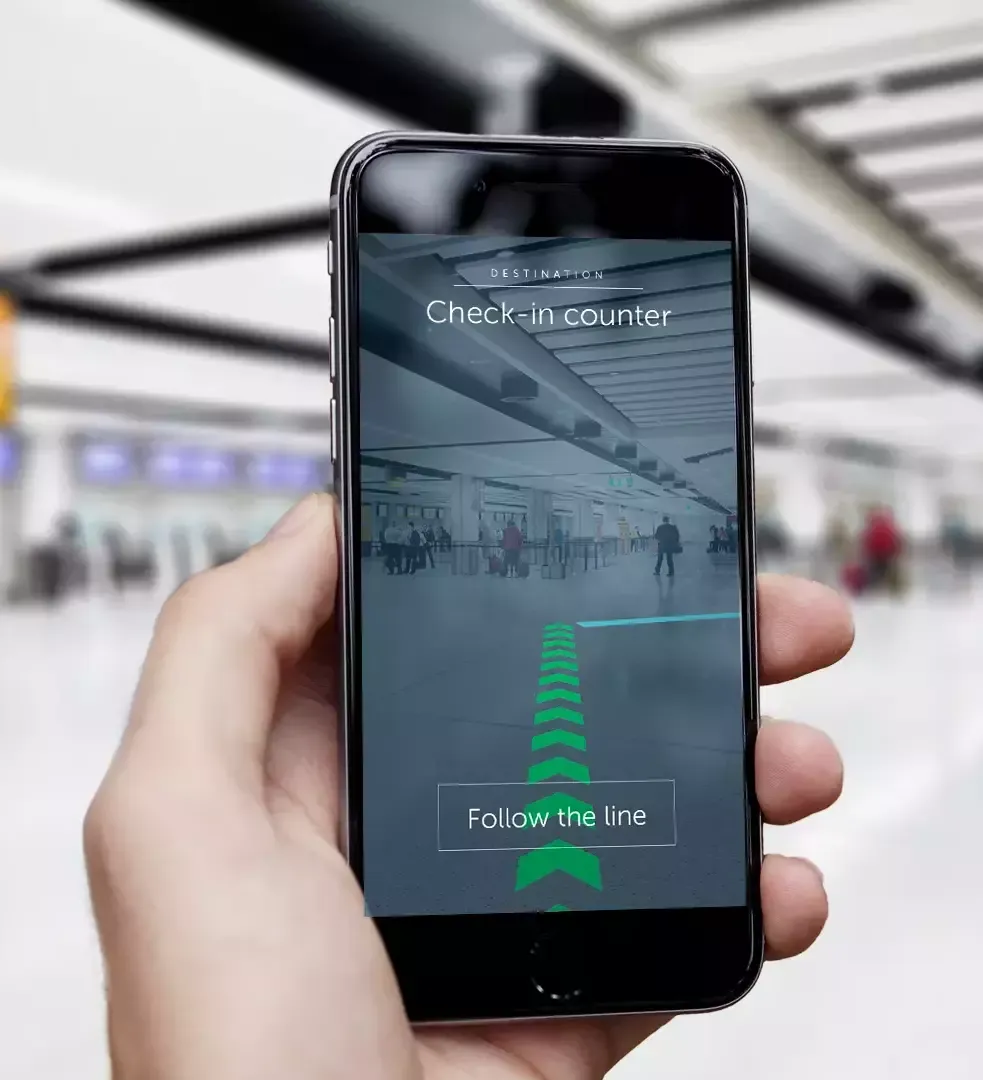
Augmented reality (AR) wayfinding superimposes digital information onto a real-world view, in real time, on a connected mobile device. Users hold a phone up and the app overlays dynamic directions and captions. AR can make it easier to find your way in new environments. It is precise enough to guide a traveller to a distant gate in a busy airport or to a specific bed in a large medical facility, improves accessibility through turn-by-turn audio prompts for visually impaired users, and can stream visitors into different queues to shorten waits.
As of 2019, London’s Gatwick airport had installed 2,000 indoor beacons that let airlines, third parties and the airport build AR wayfinding into their apps. Travellers use it to locate themselves and find departure gates, amenities, lounges, luggage carousels and exits.
The same technology supports placemaking: sharing a site’s history or culture through the line of sight on a device deepens appreciation of a space, so viewing a painting through a phone might trigger audio interviews with the artist. AR can also overlay 3D images of landmarks hidden by obstructions, and visualise proposed developments in their planned environment to support community feedback.
Where digital wayfinding is used
The list is close to endless: private venues, event spaces, outdoor areas with exclusion zones, warehouses and factories with safety routes, hospitals, zoos, schools and universities, shopping malls, museums, parklands, golf courses, resorts, clubs, precincts, airports, train stations and sporting venues. Custom maps help visitors find the gorilla enclosure in a zoo or Zone B, Section 1 in a factory, and get spectators straight to their seats, across websites, apps, onsite displays and print.
In practice: the Sydney Royal Easter Show
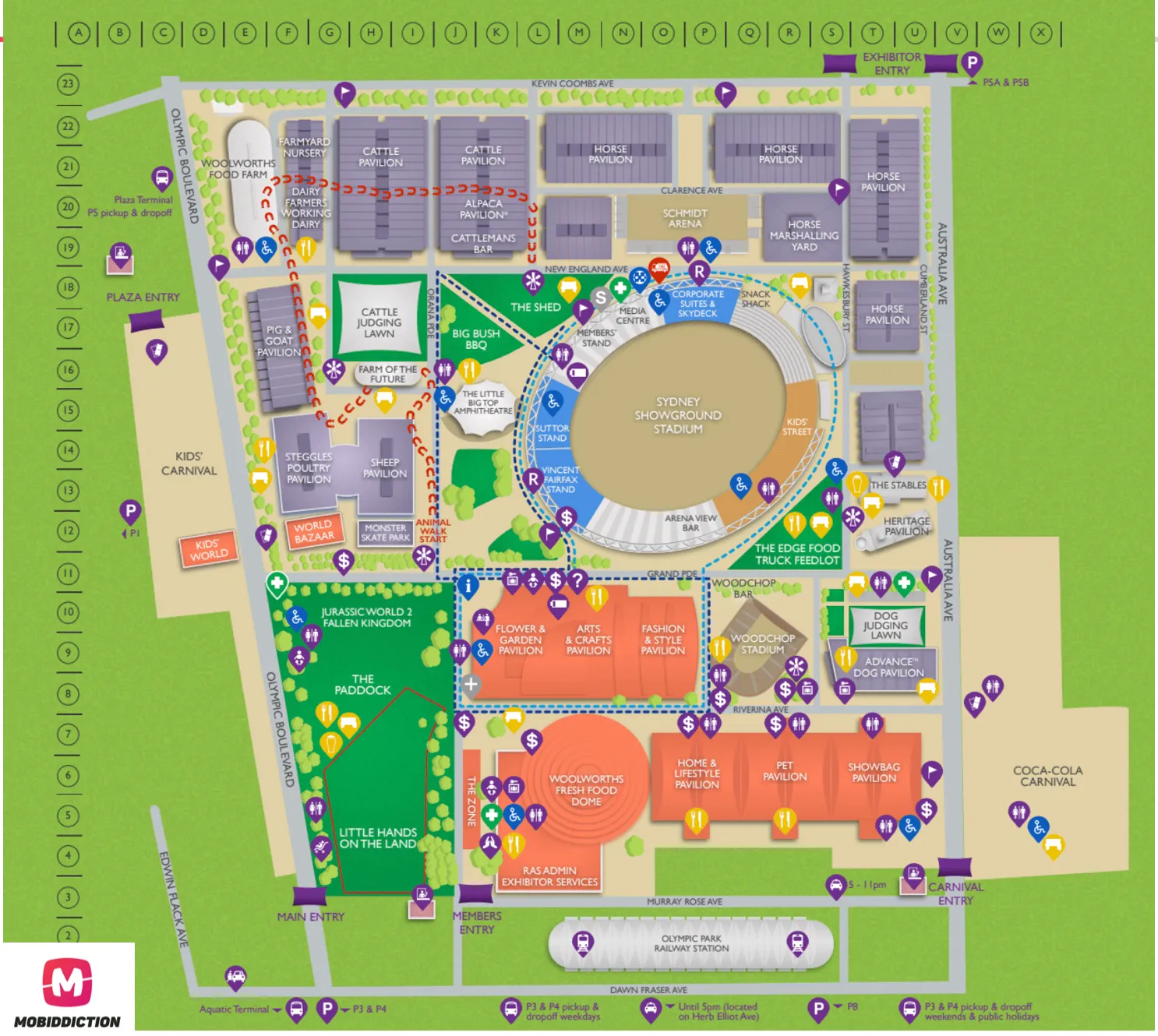
Mobiddiction designed the Sydney Royal Easter Show custom map with wayfinding, built in vector format so the same artwork serves the app, the website, printed flyers and large-format signage at the venue. The map carries high-resolution latitude and longitude for its points of interest, and gives visitors walking navigation on site, with distance in approximate steps, metres and walking time.
Visitors save favourites into a personalised “My Plan” itinerary pinned on the map, while the wayfinding plots the best optimal walking route. The app also shows real-time event information. We delivered the show’s digital services on Mobiconnect, and 2022 was our eighth consecutive year with the Royal Agriculture Society. More examples are in our case studies.
Beyond navigation: location data and GIS
Organisations collect volumes of data every day about clients, staff, operations and assets, and linking that data to geographic information through GIS can re-engineer services. Field teams can document assets such as wildlife species and survey marks on everyday connected devices, synchronised to a central database. The NSW Department of Primary Industries asked Mobiddiction to build FishSmart, originally delivered on Mobiconnect, a digital companion for recreational fishers that gives real-time map information about Fish Aggregating Devices, artificial reefs, recreational fishing havens and Marine Park zones, alongside rules, bag and size limits and in-app licence purchase. Read more about our geospatial mapping work and the platform components behind it.
Designing wayfinding around the visitor journey
Custom maps are not maps designed to just look good. They are built against spatial requirements and need specific skills, planning and technical know-how, and that work starts with the customer experience, not the cartography. Every customer experience has well-defined stages (the start of the journey, research, achievement, success or failure), and tools such as Dave Gray’s empathy map help teams see a moment from the user’s point of view.
Mapiddiction is our mapping product, built as a custom module on M4. If you are still using a PDF map or a standard online map, Book a Demo.
More reading
Technology · Digital transformation
Technology Consulting in Australia: Where a Program Starts
What a technology review covers, what it should leave you with, and how its findings turn into a program assembled on one managed platform.
Read article
Technology · Digital transformation
The Software Development Life Cycle (SDLC): A Complete Guide for 2026
Learn the complete Software Development Life Cycle (SDLC) for 2026. Stages, methodologies, Agile, DevOps & enterprise best practices.
Read article
Technology · Business strategy
IT Consulting vs Software Development: Do You Have to Choose?
Consulting works out what to build. Software development builds it. For Government and Enterprise programs, the two work best together on one platform.
Read article
Turn the ideas in this article into a working program
We assemble and run Government and Enterprise programs on M4, our multi-tenant platform. Tell us what you are working on.