

Technology
Drone Mapping in 4 Steps
Mobiddiction ·
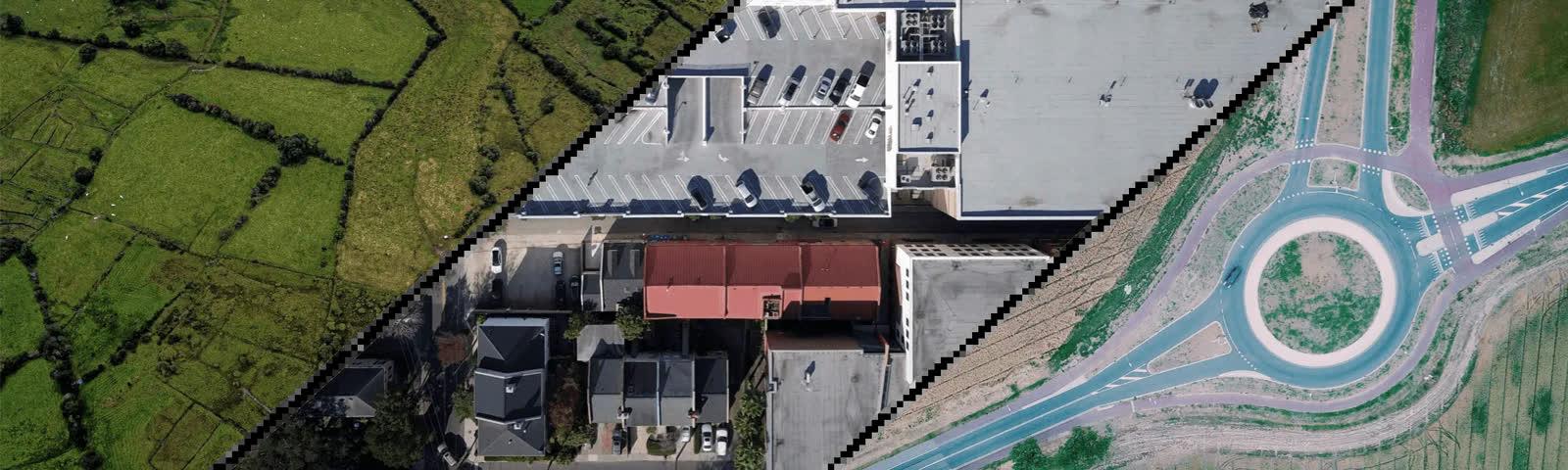
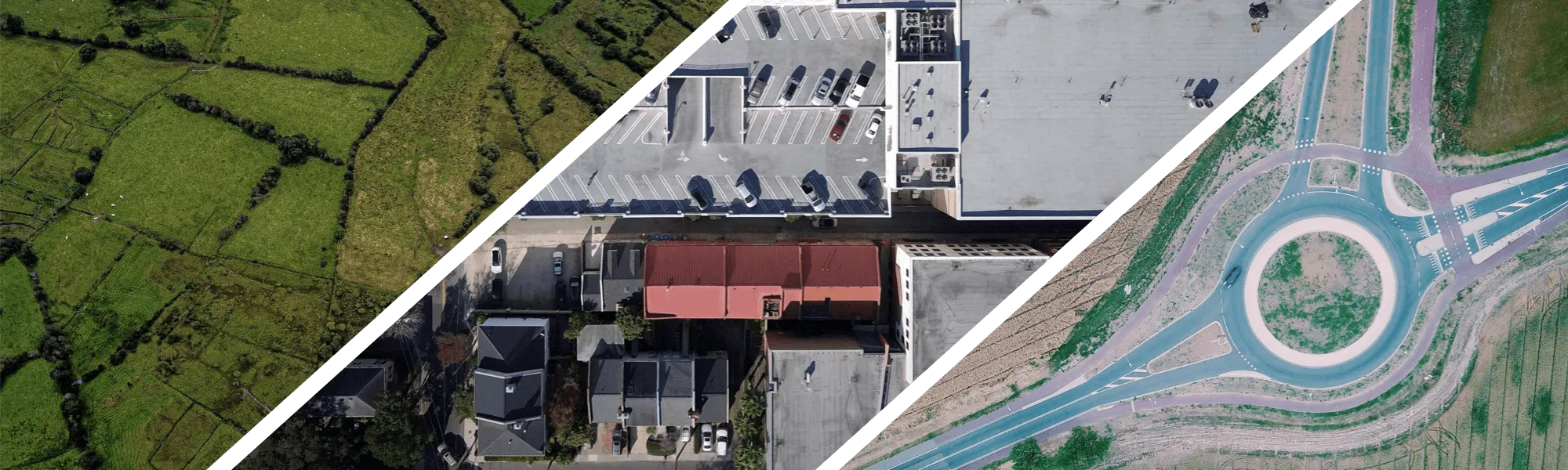
What is drone mapping?
Drone mapping is the process of flying an uncrewed aircraft along a pre-programmed path, capturing a set of overlapping vertical photographs, then stitching those photographs into a single high-resolution aerial map that can be cut into tiles and overlaid on existing mapping software. The result is a current, detailed picture of a site that you can zoom right into, with a much greater level of detail than regular satellite imagery.
Why satellite imagery is not always enough
There is no denying that Google Maps revolutionised the way we think about mapping. It is also true that its satellite imagery is not always up to date, and the same issue applies to Apple Maps.
Our mapping team ran into exactly that problem on a client project. We had to stitch together a large outdoor private area and generate a high-resolution, precise aerial view of the client’s latest property and housing development. When we searched the area on Google, the imagery that came back was definitely not what the client was hoping for.
There can be a number of reasons for poor quality satellite imagery, including simply not having enough map data for the area. That is especially true when the area you are looking to survey is classified as private.
Our solution? A drone.
What is a drone?
drone /drōn/ noun (loosely) any uncrewed airborne device, especially a small one, that is guided remotely: used for industrial, commercial, and recreational purposes, such as photography and filming, delivery, mining, etc.
Forget everything you think you know about drones. No longer confined to the domain of weaponry, drones have fast become one of the most prominent technologies being adopted across different sectors. One area where they have become really popular is mapping, especially aerial maps.
Anyone familiar with aerial mapping and photography will tell you it is not a cheap or simple process. The arrival of drones changed that: you can capture high quality aerial images, sometimes without even having to leave your own backyard.
Drone mapping in four steps
Step 1: Plan the flight
Start with a drone carrying a good quality camera (at least 12 megapixels) that can point the camera vertically down. Program the drone to a ‘mission plan’ so it follows a set path, with waypoints along the route where it stops and takes a photo.
Step 2: Capture overlapping photographs
The flight gives you a collection of overlapping photographs, each of which should be the same size. That overlap is what lets the software line the frames up afterwards, so it is worth getting right on the flight rather than in post.
Step 3: Stitch the images into one high-resolution map
Once all the individual images are collected, you join them together to create one high-resolution map. This process is known as drone image stitching, and the output is large: the map behind this article is over 10,000 x 10,000 pixels at full size.
Stitching relies on more than the pixels. Drone photos embed metadata including altitude data, GPS data and compass heading, and you feed that into specialist software which uses overlays of the many photos to assemble one great big image.
Step 4: Tile the map and overlay it
Next, take the large stitched image and cut it into tiles. That is what allows you to overlay your image on top of the existing map using the mapping software of your choice. Once it is in place you can zoom right into the map at a level of detail the underlying satellite layer cannot give you.
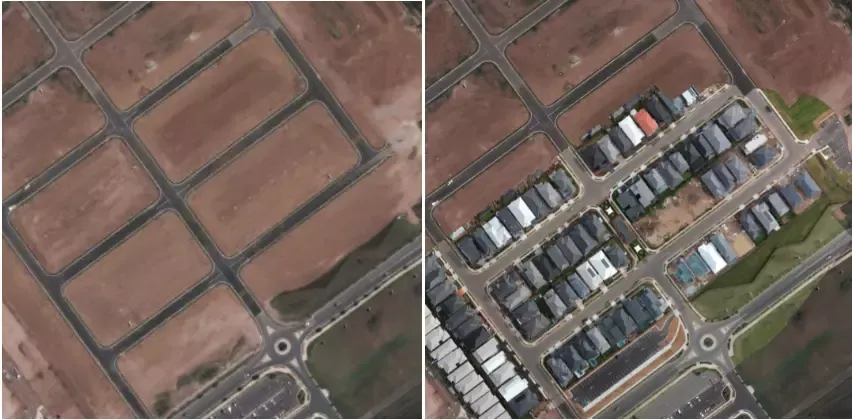
From stitched image to custom wayfinding map
The stitched map is the starting point rather than the finished product. Our team flies and processes drone capture for the custom maps we build for venues and precincts. On a recent project we produced a photo at 18,000 x 12,000 pixels, created overlay map tiles from it, and used those tiles in a custom map built with high-resolution wayfinding points.
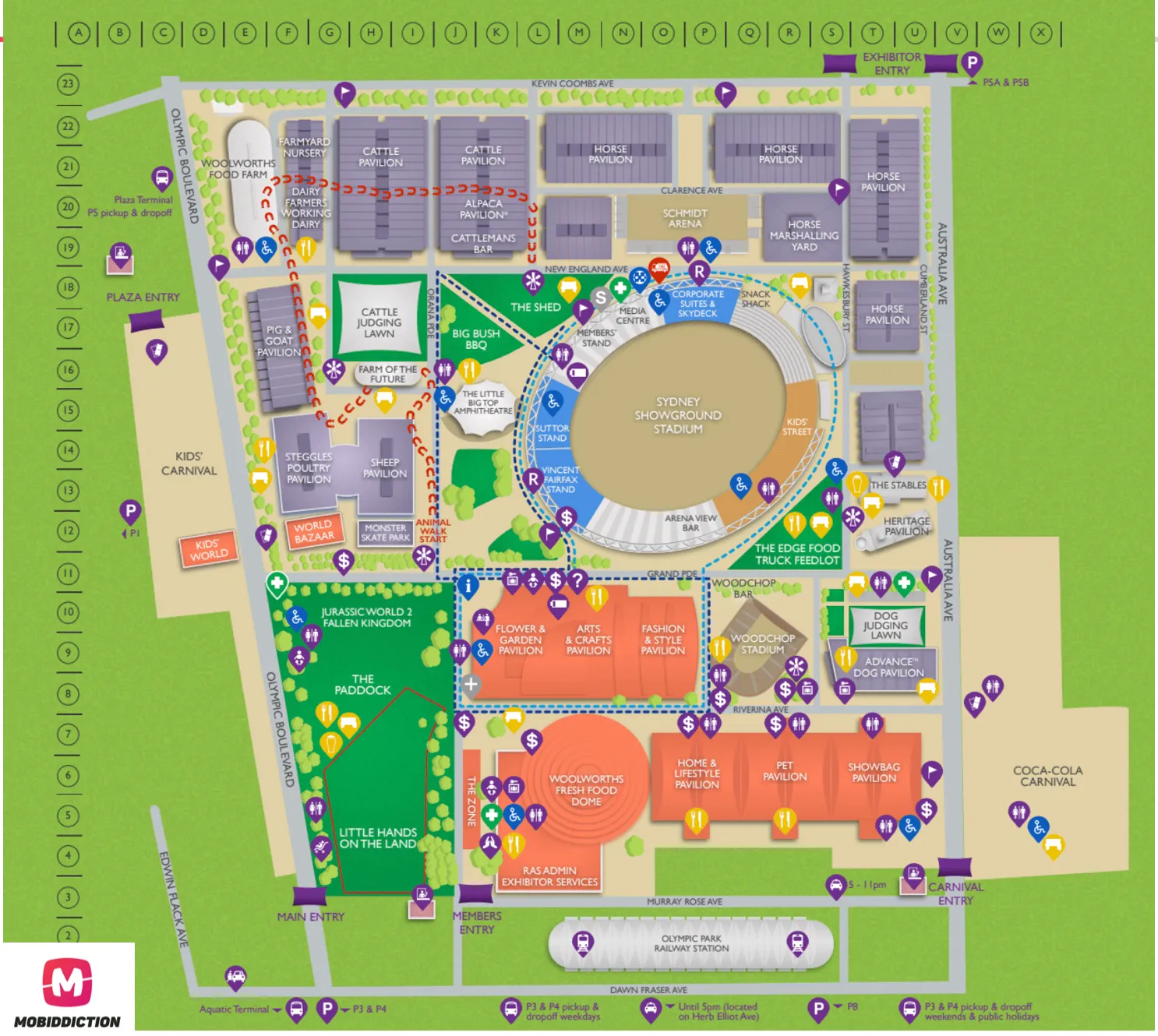
That is the practical case for the whole technique. When you do not have Google Maps, Apple Maps or any other map for your private venue, you can fly a drone and create a high-resolution outdoor professional map instead. Using specific software and pre-flight path planning tools, you control the flight path, the direction of flight and how the multiple photos are stitched. That means you control the quality of the base layer your geospatial mapping and wayfinding sits on.
What to watch out for
Of course it is not a perfect process, and there are things to be mindful of. Distortion at the edges of the camera lens and less than precise software both need accounting for. On the map above, the degree of overlap we used was rated by the software as “only just enough”. For our purposes the results were perfectly usable, but it was close to the line.
The general rule is straightforward: the more photos you take, the better the quality of the images on the map. Just remember that more images requires more drone flights, which also means more batteries.
Fly legally and safely
A note of caution. Drones, or remotely piloted aircraft (RPA), can seem like fun (and they are), but drone safety rules are to be followed at all times when you fly. Make sure you are aware of the rules, including CASA restrictions on flying drones, and download a CASA-verified drone safety app so you know you are doing the right thing. In many places it is illegal to fly a drone without a licence or permission.
Where drone mapping fits
Drone capture is rarely the whole product. It is the current ground truth that a custom map is built on. We build those maps in Mapiddiction, our mapping product, a custom module on M4, our multi-tenant platform. The stitched map becomes the base layer, and points of interest, filters and share links sit on top of it. See drone mapping.
Drone mapping earns its place wherever the public map providers fall short: private venues, outdoor venues, and property or housing developments that need an accurate, current base layer before anything can be mapped on top of it. If you want to see what a stitched drone map looks like once it becomes a working wayfinding experience, browse our case studies, or get in touch to talk through your site.
More reading

Mapping · Digital transformation
What is Digital Wayfinding?
Learn what digital wayfinding is from spatial orientation and signage to AR indoor navigation and how it helps people navigate complex environments.
Read article
Technology · Digital transformation
Technology Consulting in Australia: Where a Program Starts
What a technology review covers, what it should leave you with, and how its findings turn into a program assembled on one managed platform.
Read article
Technology · Digital transformation
The Software Development Life Cycle (SDLC): A Complete Guide for 2026
Learn the complete Software Development Life Cycle (SDLC) for 2026. Stages, methodologies, Agile, DevOps & enterprise best practices.
Read article
Turn the ideas in this article into a working program
We assemble and run Government and Enterprise programs on M4, our multi-tenant platform. Tell us what you are working on.